Copy and paste all afternoon
Three hundred customers, the same message, one at a time. The promo goes out late and half done, and nothing else gets handled that day.
One approved template to hundreds of customers, at your pace, with a report and opt-outs.
Tuesday · 10:00 am
Bulk send · October promo
Hi Laura! This October, get 30 % off your second pair of sunglasses. To stop receiving messages, reply STOP.
Hi! Does it work for prescription sunglasses too?
Hi Laura! Yes, it covers sunglasses with or without a prescription, through October 31. Prescription ones start at $ 38,500.
Can I come by on Saturday? Until what time are you open?
On Saturday we’re open from 9 am to 1 pm. Bring your prescription and we’ll help you pick the frames.
Great, see you Saturday. Thanks!
Sample conversation, with made-up data.
WhatsApp bulk messaging in Vende con IA sends a Meta-approved template to your customer list from your official WhatsApp: upload the list as a spreadsheet, check it before saving and choose the pace. When customers reply, the reply lands in your dashboard and your AI agent handles it.
To send WhatsApp messages in bulk without sending them one by one, Vende con IA uses the official WhatsApp Business API: you upload your list as an Excel or CSV file, pick a Meta-approved template and a pace (“send N messages and wait M minutes”), and it goes out now or at the date and time you schedule. The report shows sent, delivered, read and failed messages, anyone who replies “STOP” or “BAJA” gets no more, and Meta charges each message directly to your business.
Three hundred customers, the same message, one at a time. The promo goes out late and half done, and nothing else gets handled that day.
Sending everything at once, or to people who didn’t ask for it, gets you blocked and reported. When that happens a lot, Meta limits the number.
Who got it? Who read it? Which numbers were typed wrong? Without a report, your next campaign starts blind.
If the promo works, replies pour in together. If nobody keeps up, the customer who asked cools off as if you’d never written.
Upload an Excel or CSV file (the screen explains each column and gives you a sample file), add numbers one by one or pick them from Contacts, which also imports the file Google Contacts exports.
It checks every row: fixes Argentine phone numbers written another way, removes duplicates, opt-outs and blocked numbers, and warns you if the list goes over the number’s daily limit. It only saves once it’s green.
“Send N messages and wait M minutes”, with the estimated time shown. It goes out now or at the date and time you schedule, and you can pause, resume or cancel it.
What goes out is a template from the Templates menu: tell the AI what you want to say, it writes it following Meta’s rules, and Meta approves it (green) or rejects it with a reason (red).
Sent, delivered, read and failed, downloadable as CSV. If Meta holds the send back, it pauses on its own and the owners get a push notification.
Anyone who replies opens a conversation like any other in Conversations, and the agent answers with your business information. Anyone who replies “STOP” or “BAJA” gets no more sends.
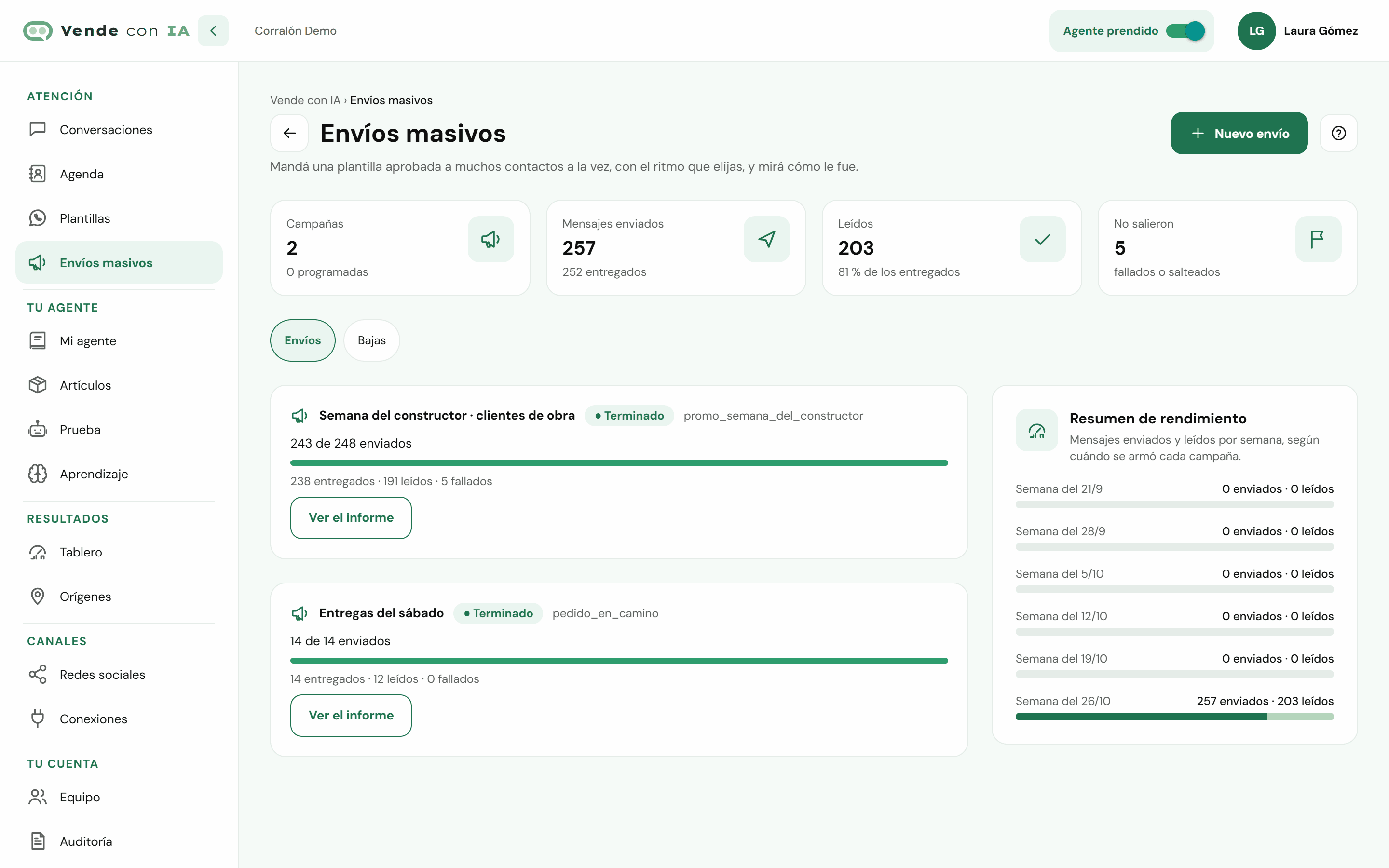
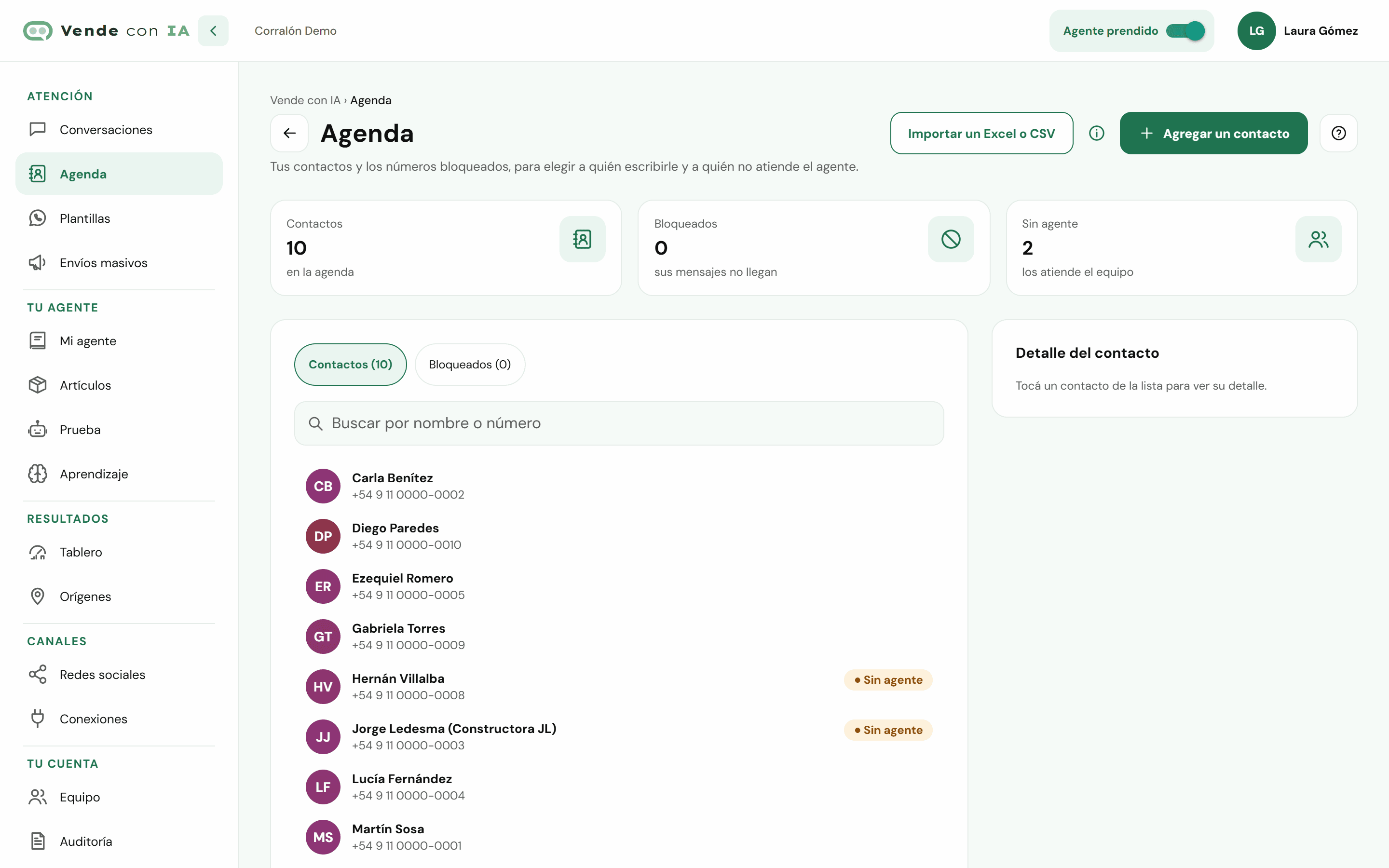
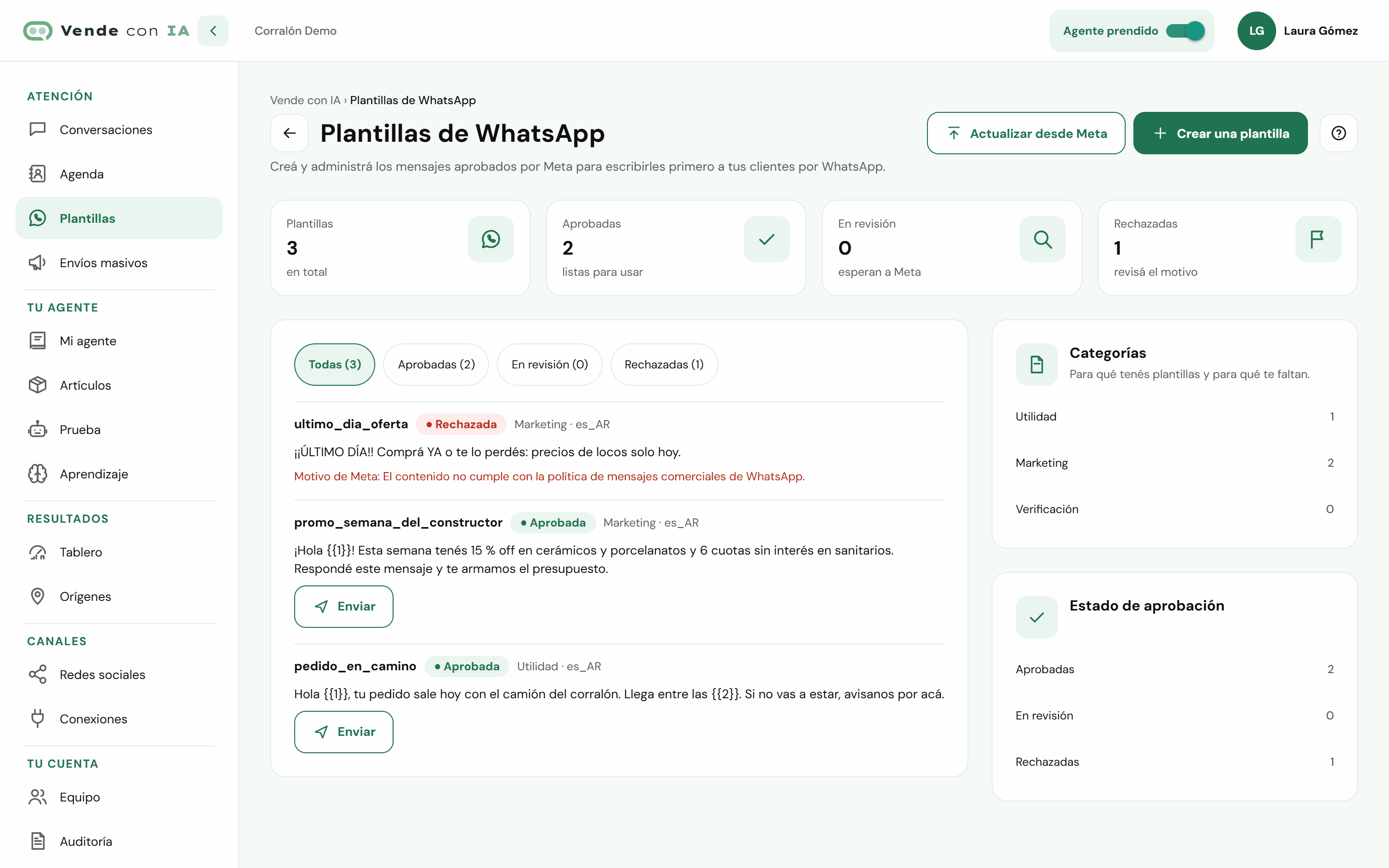
Screenshots of the Vende con IA dashboard with a made-up business.
You teach it about your business in "My agent" (typing, dictating or with your documents and your price list), we connect your WhatsApp, Instagram, Facebook or website with you during onboarding, and you test it before opening it to your customers.
See how it worksYou pay for the replies the agent gives, not per conversation or per message received. Plans with published prices, in Argentine pesos and taxes included.
See pricing and sign upNobody can guarantee it: Meta makes the decisions about numbers. What lowers the risk is sending through the official API, with approved templates, at a steady pace and only to people who gave you their number for this. Vende con IA removes opt-outs and blocked numbers from every list, and if Meta holds a send back, it pauses it.
Your WhatsApp connected through the official API (in Connections → Official WhatsApp) and at least one Meta-approved template, which you create in Templates with help from the AI. Sends are set up by the owner or anyone with the “Bulk sends” permission.
Meta charges each message directly to your business, on the card in your WhatsApp account: it isn’t included in the Vende con IA price. Meta charges more for marketing templates than for utility ones. If your agent then answers someone who replied, that counts like any other reply in your plan.
They reply “STOP” or “BAJA” and go on the Opt-outs list: they get no more bulk sends from your business. If they ever ask to receive them again, you remove them from that list in the dashboard.
Yes. Contacts imports an Excel or CSV file like the one Google Contacts exports, and for each send you can upload your own list as Excel or CSV. Before saving, “Test” checks every row and fixes Argentine phone numbers written another way.